Keeps working offline
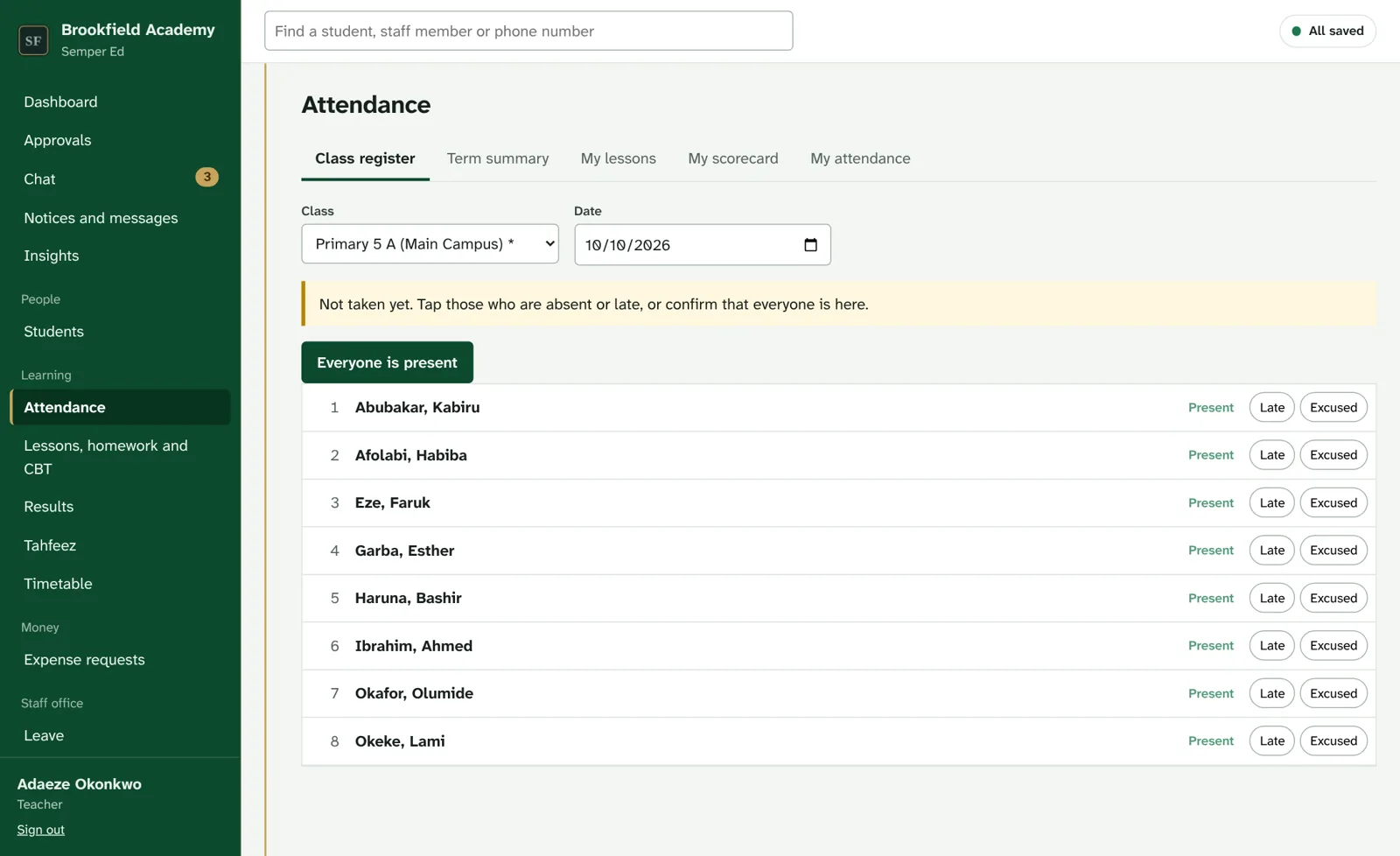
Registers, marks and payments are saved on the device first and sent when the connection returns. A campus hub can keep a whole campus running through an outage.
School management system
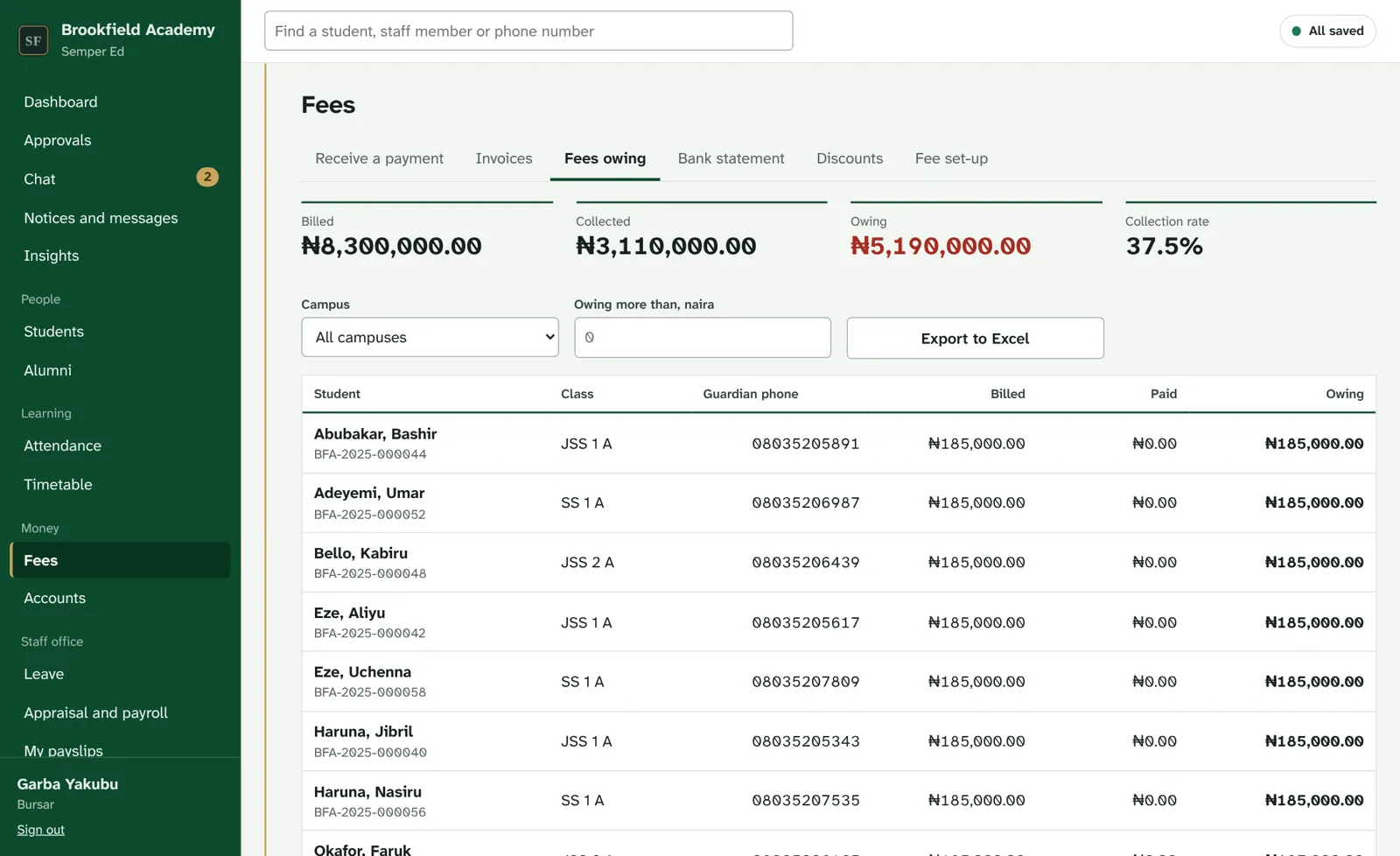
Semper Ed runs admissions, registers, results and report cards, computer-based tests, fees, payroll, and the conversations between staff and families, on the phones and computers your school already has.


Why schools choose it
Registers, marks and payments are saved on the device first and sent when the connection returns. A campus hub can keep a whole campus running through an outage.
The office, teachers, the Bursar and HR work on the same records, each seeing only what their role allows. No more copying between spreadsheets.
A portal for parents and students, text and WhatsApp messages, chat with teachers, a PTA group, and video meetings, all from the school's own address.
Every school is walled off from every other. Health and safeguarding notes are encrypted, every change is recorded, and backups are tested every week.
For every role


New
Staff, students and parents talk inside Semper Ed, where the school can see and keep the conversation, instead of in scattered personal WhatsApp groups.

Everything in one system
On every device
Install Semper Ed on any phone straight from the browser, or use the Windows and Mac apps. Each school has its own address, such as yourschool.semperfi.uk, for staff, parents and students.
For the school office, bursary and staff computers. It opens your school, keeps working when the internet drops, and updates itself.
Security and privacy
Each school's records are separated inside the database itself, and checked by automated attack tests on every update.
Teachers see their own classes; health and safeguarding notes are encrypted and limited to the people who need them.
An audit trail nobody can edit shows who changed what, and when, from which device.
Nightly backups, an automatic restore test every week, and an alert to our team if a backup fails.
Strong passwords, accounts that lock after repeated wrong guesses, and a password reset that signs a person out everywhere.
The school owns its records. Ask for a full export at any time.
Live demo
The demo has two sections. Private schools: Brookfield Academy, a demo school full of made-up students, staff, fees, results and conversations. Government: SemperEd PS, the edition for state ministries and boards, with a sample state, its Command Centre, LGA officers and schools. Ask for access and we will send you a personal code. Nothing you do there sends a real message or takes a payment.
Already have a code? Open the demo
Getting started
Priced simply, per student, per term. Ask for a quote for your school.
Phones and computers keep working on the records they already have. Registers, marks and payments are saved on the device and sent automatically when the connection returns. A campus hub can keep a whole campus going.
No. Most of the set-up is importing the Excel sheets you already keep. Semper Ed checks every row first and tells you what it will create, update or refuse before anything is saved.
Yes. Chat is built in: direct messages, class groups, the PTA and the staff room, with video meetings. The school keeps the conversations, and messages with students can be reviewed by the safeguarding lead.
Jitsi Meet, which is free: Semper Ed makes the meeting link for you. The first person to open the room signs in with a Google, GitHub or Facebook account; everyone else just joins. You can also paste a Google Meet link, or a link from another service.
Only your own staff, parents and students, each as their role allows. Our support account helps set up and maintain your school, but cannot open children's health or safeguarding records unless your Proprietor allows it.
Yes. Your records are yours, and we give you a full export whenever you ask.
Contact
Tell us about your school and we will arrange a walkthrough, answer your questions and send a quote.
info@semperfi.ukSales and quotes
support@semperfi.ukHelp for schools already using Semper Ed